Air Conditioning & Ventilation
Remotely switch warehouse or greenhouse air conditioning and fans, cutting the time staff spend moving between floors or areas.
YenProtek Smart Control Box
Every switch,
on your phone.
Switch equipment on and off remotely by phone, or automatically based on sensor data
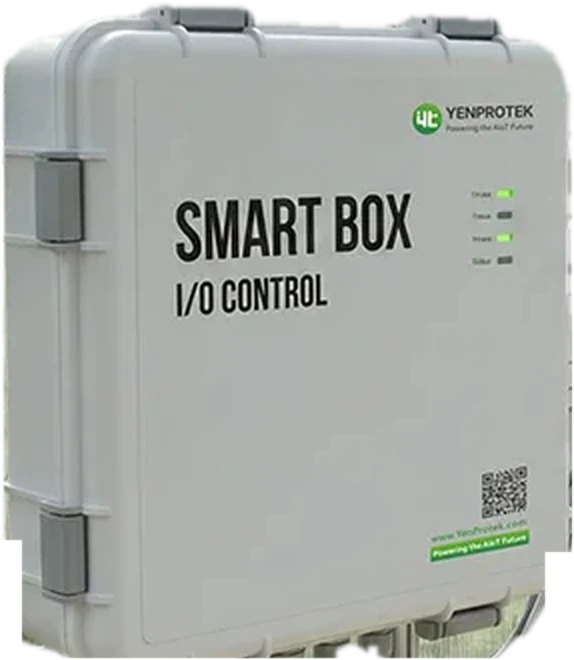
The Smart Control Box is an IoT control box developed in-house by YenProtek. It lets you switch existing water pumps, fans, and valves on and off remotely from your phone, and start and stop them automatically based on sensor data.
Remote
It starts raining after you've left home and you want to turn off the garden sprinklers; you're out and suddenly need to start a paddlewheel aerator or pump at your fish pond. The task itself may take only a few seconds, yet you have to head back or call someone to do it for you.
Anything you can handle from your phone no longer requires a special trip. Even when equipment is at a remote site, late at night or in the rain, you can skip the trip and carry on with your day.
Applications
Connects pumps, fans, lighting, solenoid valves, aerators and other on-site equipment, for agriculture, aquaculture, warehousing, buildings and more.
Remotely switch warehouse or greenhouse air conditioning and fans, cutting the time staff spend moving between floors or areas.
Start or stop paddlewheels, aerators, feeders and more as needed, and control them instantly even while busy with other work.
From farmland irrigation and fish-pond pumping to garden watering, switch pumps and valves from your phone and schedule watering more easily.
Lighting, greenhouse roll-up film, cooling-pad systems and more can also be fitted with a suitable control setup based on equipment specifications.
Existing equipment
There is no need to replace equipment that already works well just to add connectivity.
Once compatibility is confirmed based on how the equipment is controlled, remote operation can be added through the Smart Control Box.
As simple as an extension cord: plug in your existing equipment and control it remotely
Actual App screen; sample data shown
Daily operation
Use the app to view and operate different equipment from a single management interface, and switch between manual operation and automatic control as needed.
When switching equipment on, you can set it to run for 5 minutes, 30 minutes, or a custom duration to suit on-site needs, and it stops automatically when time is up. When continuous operation is needed, you can also choose not to switch it off automatically.
For cleaning, maintenance, or on-the-spot adjustments, use the physical buttons on the control box.
AC-Powered
Energy-Saving
Automatic control
If every day you first check temperature, water level or water quality before deciding whether to switch equipment on, those repeated steps can run automatically by set conditions. The Smart Control Box works with the FarmerPack, AquaPack, flood alert system and more, applying monitoring data to automatic equipment control.
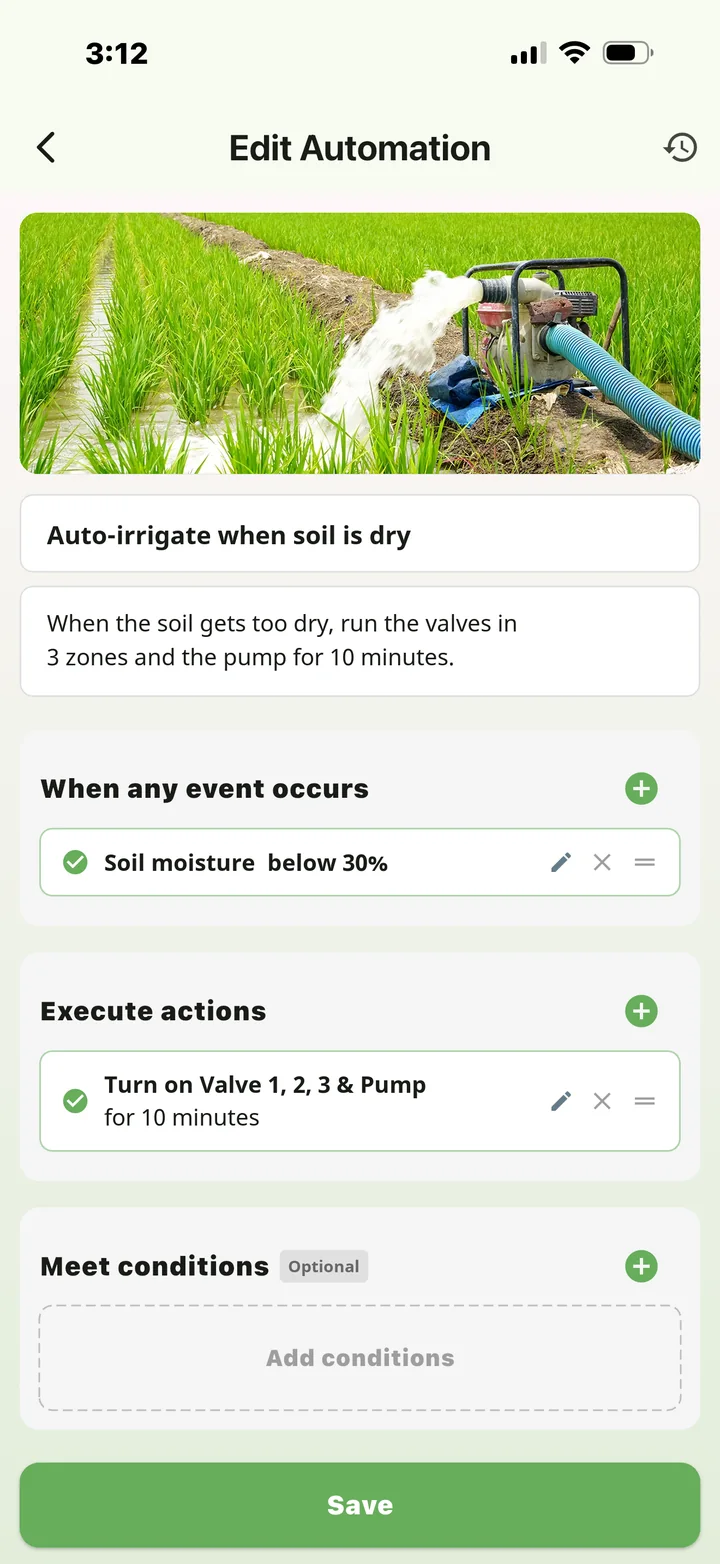
Actual App screen; sample data shown
Use sensor readings, time or weather changes as conditions, such as soil moisture below a set value, low dissolved oxygen, or 8 a.m. every day.
Pick the equipment the Smart Control Box turns on or off: irrigation, fans, shading, heating, lighting and more. One condition can drive several devices at once, run them for a set time and switch them off automatically. It can also send push, SMS or Email notifications at the same time.
No coding, no engineer on site. Adjust anytime on your phone, or switch equipment on and off remotely with one tap.
Two models
Uses existing mains power and stays connected, ready for remote operation at any time. Suited to warehouses, greenhouses and other managed sites that already have power; wiring is confirmed by equipment specification.
A low-power design paired with a solar panel and lithium battery, suited to remote farmland and other sites where power is inconvenient. It can be configured before shipment for the intended equipment, fitting solenoid valves and other low-power or intermittent control needs.
| Site conditions | Recommended model | Notes |
|---|---|---|
| Mains power on site; you want remote control of existing equipment | AC-Powered | Uses the existing power supply; suits pumps, fans, lighting, feeders and more |
| No mains power on site, or cables are hard to run | Energy-Saving | Solar panel plus lithium battery; suits remote farmland and intermittently controlled outdoor equipment |
Power requirements for the control box and the controlled equipment are each confirmed based on on-site conditions.
Not sure which model to choose? Just tell us the equipment type, voltage and power, expected run time and on-site power conditions, and we'll help you find the right control approach.
Ask About Equipment ControlTrack Record
Already deployed at farms, gardens, wine cellars and more, with the list still growing.
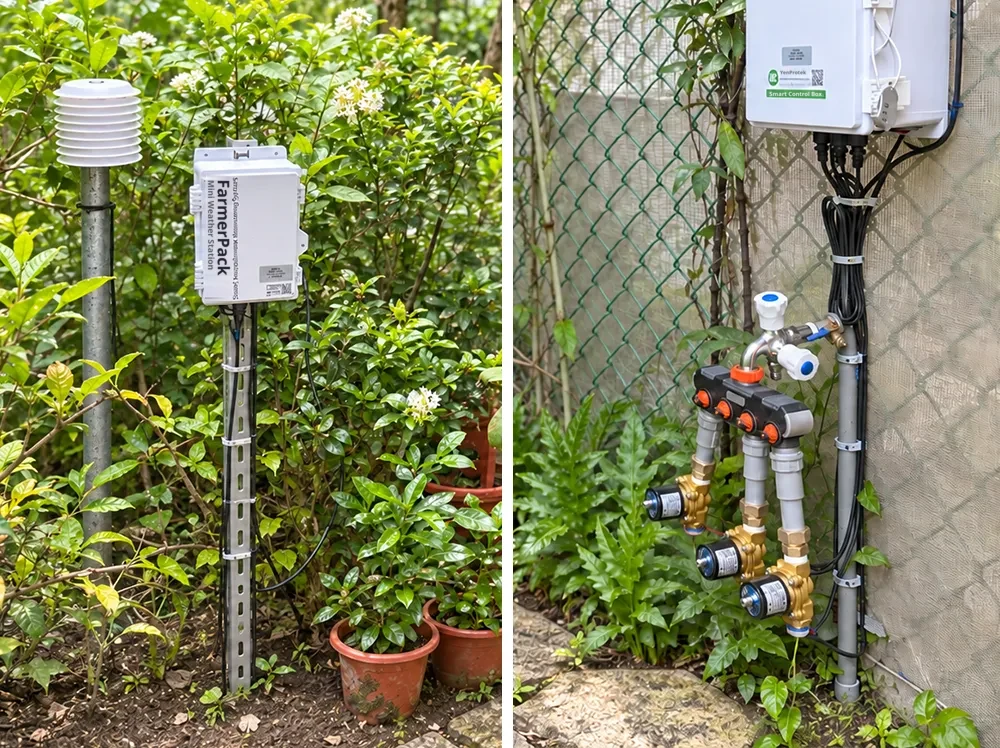
At an elementary school in Kaohsiung, the campus farm and butterfly habitat use a FarmerPack and Smart Control Box to integrate environmental monitoring with irrigation control, so watering starts by set conditions and reduces the burden of on-site operation.
View campus irrigation case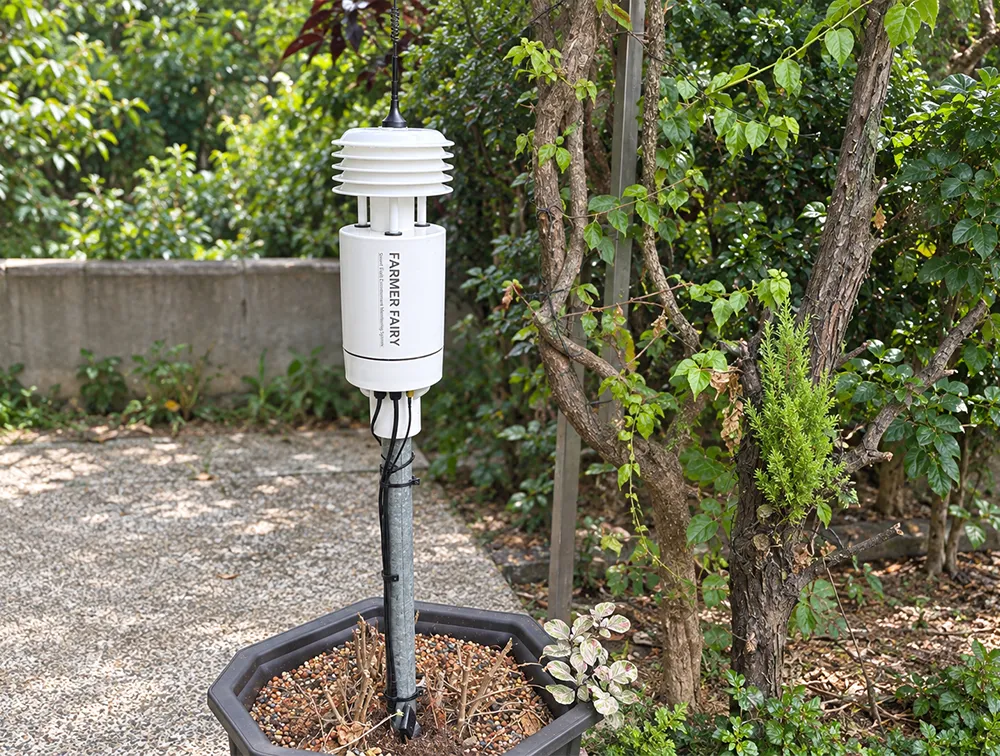
A private villa garden in northern Taiwan uses soil-moisture monitoring and valve control to start irrigation when moisture drops below the set value. The owner no longer plans life around watering times, and can start or stop manually from the APP when needed.
View villa garden irrigation case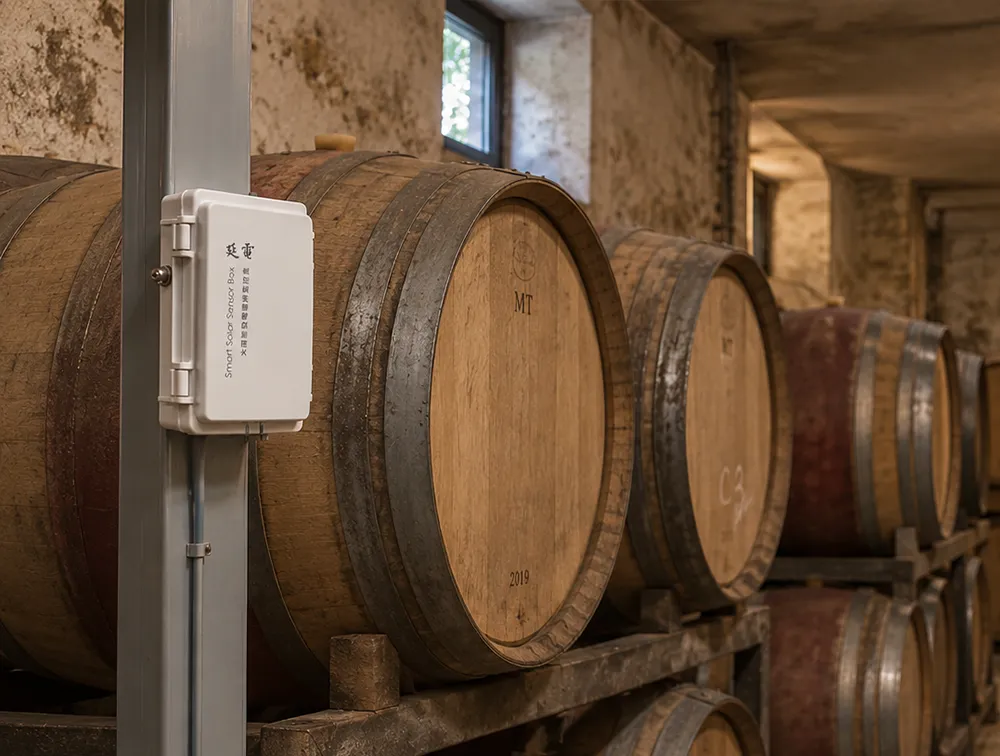
Wine cellars are sensitive to temperature and humidity changes. Environmental monitoring linked with the Smart Control Box drives air conditioning, dehumidification or ventilation, adjusting automatically when readings move out of range and reducing frequent manual checks.
About cellar & warehouse monitoringYes. The Smart Control Box continues to control on-site equipment automatically based on the conditions downloaded during its last connection.
Choose the AC-Powered model when mains power is available on site, so the device stays connected at all times. Choose the Energy-Saving model (solar + lithium battery) when running power outdoors is difficult; it suits low-power or intermittently operated equipment such as solenoid valves.
No. On your phone, set "when" a sensor reading, time, or weather condition is met, and "then" which devices should run and for how long. Changes take effect as soon as you save. One condition can trigger multiple devices at once and also send push notifications, SMS, or email alerts.
It works with FarmerPack, AquaPack, the Flood Alert System, and other products to automatically control irrigation, fans, pumping, and other equipment based on sensor data.
Equipment can be connected once compatibility is confirmed based on how it is controlled. Power requirements for the control box and the controlled equipment are each confirmed based on on-site conditions.
Whether it is field irrigation, greenhouse ventilation or aquaculture aeration, operate remotely from your phone and control automatically by schedule or sensor data. Fewer unnecessary trips make daily management more efficient and worry-free.