Article Summary |
Over the past few years, generative AI has gradually become part of everyday work. From writing Emails, organizing meeting notes and translating documents to analyzing data, producing marketing content and even helping write code, AI has become a supporting tool for many people at work.
As tool integration matures, AI has also begun to take part in actual work, helping users carry through on what has been discussed.
For example, we can ask a general generative AI: "Help me organize these meeting notes." But if an AI agent is integrated into a real enterprise workflow, after the meeting it can retrieve the transcript, summarize decisions, identify action items and their owners, create calendar entries, and proactively remind the people involved before the deadline.
The difference is that the former completes an answer; the latter starts to complete a stretch of workflow.
OpenAI describes an agent as a system that can complete workflows on a user's behalf with a considerable degree of autonomy. An agent can move from "answering" to "executing" because it is more than a large language model: it can be combined with work instructions, enterprise data, external tools, permissions and human approval mechanisms. OpenAI
When AI can use tools and track progress within authorized limits, enterprises have the opportunity to hand work that used to require people to operate step by step to a system for assistance. To understand how this is done, we can start with what an agent is made of.
What Is an AI Agent?
An AI agent can be understood as an "AI system with the ability to act."
After receiving a question, a typical chat-based AI mainly has to understand it and generate an answer. An AI agent, once given a goal, keeps assessing the current state, deciding the next step and using the necessary tools until the task is done, stopping only when it reaches a point that needs human confirmation.
For example, a user says: "Help me schedule a meeting with Manager Wang next week about the new quotation."
A typical AI can tell you how to arrange it, but an agent with appropriate authorization may first check calendar availability, find Manager Wang's contact information and compile notes from the previous quotation discussion, then create a draft meeting and wait for the user's confirmation.
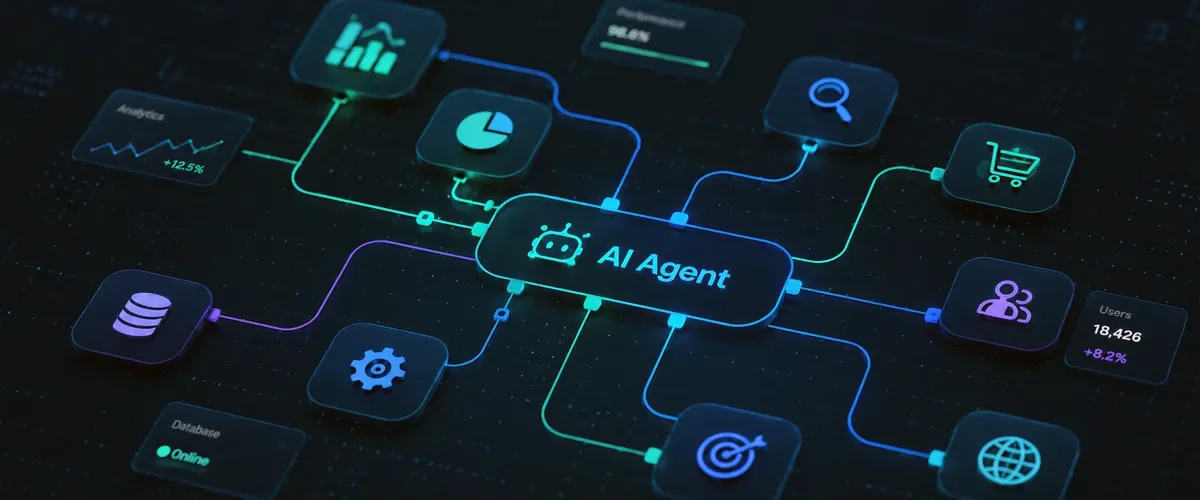
Therefore, a practical working agent usually combines several core elements: the AI model handles understanding and judgment, Instructions define the work rules, Tools let it operate external systems, enterprise data provides the work context, and Guardrails and human review determine what it may and may not do.
What Work Rules Does an Enterprise AI Agent Need?
Many people who first try agents start by writing a more complete prompt. In enterprise use, data sources, operating steps, permissions and review methods also need to be planned together.
If a company is building a finance agent, it must first tell the agent: under what circumstances a payment request can begin, where to get the invoice title and amounts, which data can be organized automatically, and whether an accountant must always confirm before an invoice is officially issued.
The rules for a sales agent are entirely different. It may need to know which products the company has, pricing and discount authority, which customers can be given a standard quotation directly, which cases must first go to a supervisor for review, and when a follow-up item should be created.
The clearer these rules are, the more easily an agent can complete tasks the way the company does. Before adoption, a team can first take stock of where the data for a task comes from, who makes the judgment and when approval is needed, and then decide how much to hand over to AI. Once the process is clear, the next step is to connect the tools the work requires.
Tools: AI Moves from "Saying" to "Doing"
One of the key differences of an AI agent is that it can use tools.
If AI can only output text, then however well it analyzes, it can only tell users "what to do next." But when an agent can be authorized to use Email, Calendar, CRM, Google Drive, Microsoft 365, ERP, databases, website back ends or enterprise APIs, it can begin to turn judgment into actual operations.
For example, a general generative AI can tell a salesperson: "This customer has not replied for a week; we recommend contacting them again." An agent, on the other hand, may go further by creating a Follow-up task, adding it to the calendar, and even organizing past correspondence to prepare a draft of the next message.
OpenAI's current agent architecture also treats tools as one of an agent's core capabilities, because tools let the model access external data, execute functions and interact with other systems. OpenAI Developers
Once models and tools are combined, an agent can carry analysis results into the follow-on operations. When evaluating a system, you can look directly at whether it can complete steps such as querying, organizing, updating and tracking, which also helps in understanding how it differs from ordinary chat tools.
How Is an AI Agent Different from ChatGPT?
A chat-based AI can serve as the entry point for operating an agent and can also be part of the overall system.
The difference lies mainly in the depth of work.
| Type | Main Capability | Simple Example |
|---|---|---|
| Generative AI | Generates answers or content | Write a customer Follow-up for me |
| AI Assistant | Assists with work using context | After reading the customer correspondence, summarize the situation and write a reply for me |
| AI Agent | Executes multi-step processes using tools | Organize customer history, generate a reply, update the CRM, create a follow-up |
| Traditional automation | Executes according to preset fixed rules | Sends a fixed notification after a form is submitted |
An agent's application value also appears in work that requires understanding meaning and where it is hard to list every condition in advance.
Traditional Workflow is very good at "if A happens, do B." For example, automatically sending a receipt after payment is completed or running a data backup every night; these are very mature forms of automation.
Enterprises also handle many everyday tasks that depend on judging the situation.
For example, is an Email an inquiry about pricing, a complaint, an after-sales request, or purely a question about specifications? Does a remark like "let's find time to meet before the end of the month" count as needing a follow-up item? In a one-hour meeting, which parts are only discussion and which are real Action Items?
These tasks require understanding natural language, context and circumstances, which is also why, once large language models are added to automation, agents can handle a broader range of workflows.
Why Is the AI Agent Suddenly Getting So Much Attention?
Enterprises have had years of experience improving processes with RPA, Workflow, ERP and API integration.
What is truly different is that AI can now handle natural language, documents, images, data search, multi-step reasoning and tool use at the same time, so work that was hard to "write as fixed rules" now has a chance of being brought into automated processes.
In the past, what enterprise systems handled most easily were tables, fields and structured data; but most of the information in a company is actually scattered across Email, chat records, meeting transcripts, PDFs, technical documents, customer requirements and people's experience.
Agents make this unstructured information understandable and allow it to become part of the workflow.
The Microsoft 2026 Work Trend Index also points out that enterprise use of agents is growing rapidly, while enterprises also face the challenge that working methods, management systems and organizational readiness are not keeping up with the tools. In the study, only about 19% of AI users were in the "Frontier" state, with both individual capability and organizational readiness high. Microsoft
Even after employees are familiar with the tools, a company still needs to adjust the division of labor and work methods to turn individual experience into a process the team can adopt continuously. A good starting point is a concrete question: when should this task start?
From "I tell AI to do it" to "AI knows the next step"
When a task starts can be agreed on when the agent is designed.
Most people using AI today still have to think of the need first, then open the AI and give an instruction. For example: "Help me organize this meeting."
But an agent that is truly part of the workflow can have certain events designed as the starting point of the work. For example, organizing industry information at a fixed time every day, or automatically starting to process the meeting notes after a meeting ends.
Taking OpenAI's current Workspace Agent architecture as an example, an agent can be set to be triggered manually or on a schedule, and run work together with tools, data sources and Guardrails. OpenAI
With clear start conditions, routine work can proceed on a schedule or by event, reducing the burden of giving instructions anew each time. A common customer meeting shows how this arrangement affects follow-up.
How Does a Meeting Agent Actually Work?
Suppose a customer meeting has just ended, and the transcript contains this sentence:
"Tim will give the customer the new quotation by next Tuesday."
An ordinary meeting summary tool might simply put this sentence into the meeting notes.
A Meeting Agent may go further and understand that it contains a clear work item: the owner is Tim, the task is to update the new quotation, the deadline is next Tuesday, and the recipient is the customer from this meeting.
Next, based on the company's settings, the system can create a to-do, add it to the calendar, remind Tim before the deadline, and even summarize before the next meeting: "The last meeting left three tasks; two of them are now complete, and the quotation is still waiting to be updated."
In this way, what was agreed in the meeting can be tied to to-dos and reminders, making it easier for the team to track progress. However, from organizing notes to actual execution, it is still necessary to draw a line between which steps can be handled automatically and which should be confirmed by a person.
How Should an AI Agent's Autonomy and Human Confirmation Be Arranged?
When discussing agents, another misunderstanding easily arises: if AI can carry out work, does that mean everything in the future should be decided by AI itself?
In fact, the more reasonable approach for enterprise adoption is to raise the level of autonomy step by step according to risk.
In the first stage, AI can provide only analysis and suggestions, with a person making the final decision; in the next stage, AI can prepare Emails, schedules, invoice data or article drafts, with a person only confirming. Once the process is mature enough, only low-risk work with clear rules is suitable for gradually increasing the level of automatic execution.
For example, automatically organizing the notes after an internal routine meeting is very low risk; but formal payments, deleting data, making commitments externally, changing prices or canceling orders are operations that may have real consequences.
OpenAI's agent guide explicitly provides a Human-in-the-loop approval mechanism, allowing sensitive tool operations to pause before execution and wait for a person to approve or reject them. OpenAI Developers
Only when the timing of approval, the person responsible and the way exceptions are handled have been agreed in advance can a team comfortably let an agent take over daily operations. After it is running, the scope it can handle on its own can also be adjusted step by step based on error records and feedback from staff.
Does an AI Agent Learn on Its Own and Get Smarter the More It Is Used?
This requires looking separately at model training and at how the enterprise maintains the data and rules the agent uses.
A typical enterprise agent does not have its model automatically retrained tomorrow just because it handled 100 Emails today.
What can truly keep accumulating is the work environment the enterprise provides to the agent, such as the company's SOPs, knowledge base, historical records, handled cases, user feedback and work rules.
Suppose a sales agent initially does not know that when a certain type of customer asks about a product, a specific specification document usually also needs to be provided. After actual use, the company finds that this happens almost every time, and can formally add this experience to the agent's work rules.
Continuing to organize this experience gives the agent a more complete basis for later tasks and makes it easier for colleagues to reuse past handling methods. Enterprises need someone responsible for updating knowledge and rules so that this accumulation remains useful over the long term.
Does a Company Need Many Agents?
The number of agents can be decided by the needs of the work. Even when adopting Multi-Agent, it is necessary to first clarify each agent's responsibilities and handoff methods to avoid adding unnecessary coordination cost.
OpenAI's current agent development advice is likewise to start with one agent that has clear responsibilities and a well-defined scope, and to split agents gradually only when different tasks require different tools, different permissions or different review policies. OpenAI Developers
For most enterprises, a better starting point may be a Meeting Agent, a Sales Agent or a Knowledge Agent.
Start with one task that happens often and has clear completion criteria, confirm that the agent can handle it reliably, and then evaluate whether other roles are needed. This also makes it easier to find problems, adjust the process and see actual results.
What Is the Relationship Between AI Agents and Vibe Coding?
Vibe Coding is an easily understood example of an agent's expanded capabilities.
In the early days of using generative AI to write code, the common process was to ask AI to generate a piece of code, and then the engineer would copy, modify and deploy it.
Today's Coding Agent can read a project directly, understand the folder structure, find relevant files, modify code, run tests, check for errors, and then go on to fix them.
In other words, AI is moving from "telling you how to write code" toward "directly taking part in the software development process."
These capabilities make implementation more efficient, and also make requirements planning and review of results more worth investing time in.
Users without software development experience may find it hard to list complete requirements at the outset, or to notice what details a system design has left out.
For example, a user knows they want member login but may not know that Session, permissions, API authentication, Rate Limit, database Migration, Log, Backup, Rollback or personal data management also need to be considered.
AI can help complete a great deal of implementation, but people still need to judge whether the requirements are complete, whether the design is sound, and whether testing covers the important scenarios. Once a program starts connecting to real data and enterprise systems, these checks directly affect safe use.
Risks Rise as AI Agents Enter the Enterprise
If a chat-based AI answers incorrectly, it usually just produces a piece of wrong content.
But when an agent has permission to send Emails, modify the CRM, operate databases, update websites or perform other system actions, errors can have real consequences.
Therefore, when formally adopting an agent, one must consider data permissions, account permissions, sensitive information, operation logs, error recovery, Prompt Injection, human confirmation and exception handling.
OpenAI's current agent safety mechanisms also treat Guardrails, Tool Review and human review as important design elements, used to decide when a process can continue and when it should pause. OpenAI Developers
In practice, the necessary permissions can be configured for each task, with operation logs and channels for human intervention retained. A team that can see clearly what the agent has done, and knows how to stop and recover when something abnormal occurs, is in a position to expand its use step by step.
Conclusion: What AI Changes Next Is "How Things Get Done"
The biggest change in the first stage of generative AI was the way people obtain information and produce content.
We used to search, read and organize, and then produce answers ourselves; now much of that work can be done by talking directly with AI.
The next change AI agents bring is the way work itself is carried out.
From "write me a letter" to "handle the follow-up for this customer for me."
From "organize the meeting notes" to "actually create the to-dos from the meeting and keep tracking them."
From "tell me how to change the website" to "complete the change under appropriate permissions and review."
For enterprises, a good approach is to first find a task that recurs often and has a clear data source, organize its steps and approval method, and then try having an agent help with it. Building experience on a small scale, and observing how much time is saved and which steps still need human judgment, makes it easier to assess the next step with confidence.
FAQ | Common Questions About AI Agents
Is an AI Agent the Same as ChatGPT?
Not exactly. A chat-based AI can be an agent's interface or one of its components, but an agent usually also includes tools, data sources, work rules, permissions and human confirmation mechanisms.
Can an AI Agent Make Decisions on Its Own?
It can have varying degrees of autonomy, but an enterprise does not need to adopt a fully autonomous mode from the start. Most processes are better started with "AI prepares, a person confirms," and then increase the level of automation gradually as the process matures.
Does an AI Agent Learn on Its Own?
A typical agent does not retrain itself automatically as usage grows. What can truly accumulate is the enterprise's knowledge base, SOPs, historical records, handled cases and user feedback.
How Is an Agent Different from Traditional Automation?
Traditional automation suits processes with clear conditions and fixed steps; an agent can go further by understanding natural language, documents and unstructured information, and deciding the next step based on the situation. The two can also be used together.
Can an AI Agent Operate Enterprise Systems Directly?
Yes, provided the relevant systems offer suitable integration methods and the enterprise grants the necessary permissions. The scope of what it can actually operate should also be set with human confirmation and safety limits according to risk.